Flag This Hub

How To Disable the Annoying Beep Sound on a Gateway Laptop When You Plug In or Unplug the Power Cord

By


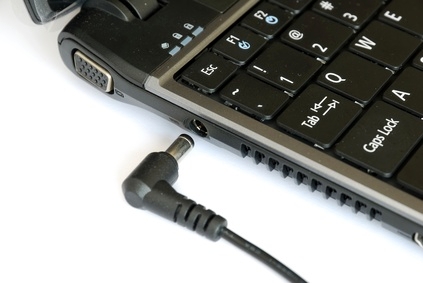
I recently purchased a new Gateway laptop. It had the most annoying beep when you unplug the computer or plug it in. I had to figure out how to disable that sound. So here it is for those who might be experience the similar mind-numbing problem.

These directions are for Windows 7.

  1. Right click on the sound icon down by the clock.
  2. Select "Playback Devices"
  3. Click on the "Playback" tab if it is not already selected.
  4. Then click on the speakers.
  5. Select properties in the bottom right.
  6. Click on the "Levels" tab.
  7. Click the speaker icon under "PC Speaker" to mute it.

TaDa.
No more annoying beep.

You can also lower the volume in step 7 rather than muting it if you just want it quieter.

If this works for you, please give a "vote up" right below this. It will help more people discover this article.

Comments

HH 20 months ago

The annoying beep is gone!

For anyone else with this problem- initially this didn't work. I had to mute the pc speakers, then, under the general tab, use the drop down menu to select 'don't use this device' and hit apply. Then switch back to 'use this advice' (hit apply) and finally it worked. For some reason it wouldn't let me hit apply after just muting the pc speakers.

But thank you for pointing me in the right direction!

pilgrimboy 20 months ago

Hi HH,

I am sorry that it did not work for you, but I am glad it put you in the right direction. Are you using Windows 7? Anyway, thanks for the added tips in case other people run into the same problem.

I had been living with that annoying beep for three months (and I unplug and plug back in at least once a day. It had become extremely annoying.

To everyone else,

If you run into the same problem when reading this and applying the solution, please let me know. I am willing to change the article if the solution seems to be HH's method rather than what I have currently posted. What I posted did work for me.

Chris 20 months ago

You are a god send. I've been sick and tired of this. Thank you so much.

pilgrimboy 20 months ago

Thanks, Chris. I am glad you found it useful.

xsnrg 20 months ago

DUDE! Thank you...ive been living a nightmare for 2 months and now I have finally woken up!

pilgrimboy 20 months ago

You're welcome. Glad it worked.

mixwell 20 months ago

Thank you soooooooo much. I was about to put my 12V drill thru my brain in order to stop the beeping!

pilgrimboy 20 months ago

You're welcome. It is that annoying. I don't know why they made it do it.

dasfasdfnasdfnl 19 months ago

so what if say you want to use your sound from your speakers but just want to rid yourself of the beep. It should be obvious if you mute your laptop the beep stops, but if you want to accomplish something how about explain how to get rid of the beep so you can still listen to music

TOOL

pilgrimboy 19 months ago

Using the procedures I wrote, I still have music. All you are disabling is the internal system noises. You still get all the window sounds and music.

Kelly 18 months ago

Thank you thank you!!! I thought I was meant to hear that annoying sound for the rest of my computers life! I just disabled it! Yay!!

pilgrimboy 18 months ago

Glad I was able to help.

Mike5466 18 months ago

I click on Level tab (step 6) but there is no PC Speakers option..Just my Speakers and Microphone...I'm using windows 7. Which means I either cut everything off, or leave the beep on. Anyone else got this?

pilgrimboy 18 months ago

Mike, It is the internal system sounds that you are turning off here, not the speakers that play music and the like. You can always reverse it if you do it and it does turn off your audio, but I would recommend turning the speakers off there. I did it on Windows 7. So I find it strange that we have different settings, but PCs do that.

Dylan 18 months ago

Thank you. I've had this computer for about a year now and my charger cord is starting to wear out so when moved it will unplug and replug a million times without it ever actually unplugging.

pilgrimboy 18 months ago

That gives me nightmarish chills just thinking about it, Dylan. Glad I could help.

nusints 18 months ago

i only have a "speakers" option. i'm running win 7 64 bit. dont see a "pc speakers" option.

pilgrimboy 18 months ago

Have you turned it off to see what it does? If so, let me know. If not, give it a try. You can just turn them back on.

pilgrimboy 18 months ago

Loftusnet 17 months ago

Can you make a video on this please? I'm up to step 7 and there is no "PC Speakers" mine says "realtek HD audio output" and the other says "microphone"

The realtek one turns off all sounds and mu beep is coming out of the speakers???

pilgrimboy 17 months ago

Sadly, Loftusnet. It appears that this is a recurring problem with some.

Brittany 17 months ago

Thank you, thank you, thank you!!

Irish 17 months ago

Can someone tell me if I can plug in external speakers on my gateway laptop. When I plug them in to the headset, that does not work. Model #MS2285

pilgrimboy 17 months ago

I use external speakers with my laptop all of the time. What kind of speakers are you using?

patman 16 months ago

it Doesnt work for me. I don't even have the PC Speaker option. I have a windows seven 64bt.

pilgrimboy 16 months ago

Patman, I am sorry. I wish somebody lived near me where I could fiddle with their computer that this does not work on. For me, it still doesn't beep.

Yes 16 months ago

You need to upgrade the audio driver if you can't see the PC speaker.

pilgrimboy 16 months ago

Thank you, Yes.

peace7lover 15 months ago

Thank you soooo much :D

pilgrimboy 15 months ago

You are welcome, Peace7lover.

nomorebeepforme 15 months ago

THANK THANK YOU!!!! my charger isnt working well so the beep was getting really crazy...

pilgrimboy 15 months ago

The charger not working well would be a nightmare for this. Glad it worked.

kince 14 months ago

i use a thinkpad sl400 and it worked.. no more annoying sound

thakx

Adam 14 months ago

Thank you very VERY MUCH! This sound was killing me and I'm like on the Heaven now :)

Great job!

Keep advising in the same way!

jim 12 months ago

THANK YOU!!!

Victor 11 months ago

This saved my day! Thanks alot!

Brittney 11 months ago

omg omg omg THANKYOU SOOOOO FREAKING MUCH! I HAVE BEEN DIEING WITH THIS FOR OVER A YEAR I WANTED TO SHOOT IT! THANKYOU THANKYOU!!!!!!!!!!!!!!!!!!!!!!!!!!!!!!!!!!!!!!!!!!!!!!!!!!!!!!!!!!!!!!!!!!!!!!!!1

Nick 10 months ago

hey, i updated my sound driver and now my laptop is making the sound when i plug/unplug. on the level tab i have only one slider "internal speaker/headphones". if i turn it off i can't listen to music etc. help?

jodie 10 months ago

OMG thank you soo much that sound was os annoying!! i ahve been look for somthing like this for like 2 weeks!!

9 months ago

oh my goodness thank you soooo much.. it was beyound annoying

Daniel 9 months ago

i have been looking for this all my life!!!

Ursula 9 months ago

Many Many Many Many Many Many Many Many Many Many Many Many Many Many Many Many Many Many Many Many Many Many Many Many Many Many Many Many Many Many Many Many Many Many Many Many Many Many Many Many Many Many Many Many Many Many Many Many

Thanks...

Lauren 8 months ago

My hero :)

Jaden 8 months ago

THANK YOU! My plug in jack was screwed up so it would CONSTANTLY beep if you moved the computer. and now.....No more!

ELARAM 8 months ago

I love you, dude. Te amo, cabrĂ³n. c:

Mona 7 months ago

THANK YOU SOOO MUCH!!!!! phew! no more annoying beeps

Bri 6 months ago

Thank you so much! I always use my computer at night and im afraid im going to wake everyone up when it beeps but no more! you are a lifesaver!

aubdazzle 5 months ago

Thanks friend! Instead of PC Speaker mine said PC Beep...

Duh... lol

swins24 5 months ago

thanks a bunch

athena 4 months ago

thannnnnnnnnnnnnnnnnnnnnnnnnnnnkkkkkkkkkkkkkkkkk youuuuuuuuuuuuuuuuuuuuuuu it was driving mE n ma bf crazy! blew my ears when plugged in earphone or loudspeakers!! ssimply annoying!! god bless uuuuu

Sambo 4 months ago

I followed your procedure and now the beep is gone. How do I get it BACK? Now that it's gone, I realize that I actually liked it.

pilgrimboy 4 months ago

Sambo, just click the "PC Speaker" button in step 7 again.

Geoff G 4 months ago

How do you do this in XP?

pilgrimboy 4 months ago

Geoff G,

I don't have an XP machine to toy with, but I would assume that it would be accessible in the sound settings in the control panel.

mlr987 3 months ago

OMG, THANK YOU!!!!!!!!

Brianna 3 months ago

When I go through all of the steps I don't have a thing that says "PC Speaker" Is there any other way I can do this. Help?

Brianna 3 months ago

For example, after all the steps I get to the levels tab and it only says "Realtek HD audio output" and "Microphone" not anything else. What do I do?

pilgrimboy 3 months ago

Brianna, I would check to make sure that you have the latest sound drivers installed for your computer. This is important.

lollipop 3 months ago

this is not working for mine it jus has speakers when u get to the lastt step it dont have the pc speakers and if i cut the speakers off it wont let any sound come out not even music and this is driving me nuts my cord is messed up so it beeps like every 3 seconds the whole time im on the computer!

pilgrimboy 3 months ago

lillipop,

Do you have the latest drivers from the Gateway site for your sound card installed.

The other day, I uninstalled mine playing around and saw that the option wasn't there. Windows will install drivers but those drivers will not allow you to eliminate the beep. So you have to download the drivers from the Gateway site for the video card in the computer.

Nadia 3 months ago

Hi,

Im sorry, but it's the same as simply making down the volume in the down part.. I mean it's general, and for example ok i quit like this, but later if i want to listen music or watch one movie i have to make up the volume in the same way.. So if i wanna unplug the power, again i have the same problem, no? So, actually i have the same problem again. It's not quiting exactly the annoying sound.

Thank you anyway for the info:)

Best regards,

Nadia.

pilgrimboy 3 months ago

Nadia, it is a system sound that is not the same as the speaker sound for music.

Ruth 3 months ago

Thanks so much! my beep is gone!

peter 2 months ago

does it work in neo laptop??

peter 2 months ago

but it's window 7

peter! 2 months ago

helloo!but does it wor in vista??

Jonathan 2 months ago

Oh this is fantastic. It's so simple, but it's so devious. I don't know how many times I've run by that PC speakers tab and never thought twice about it. What in the world are they even for? As far as I can tell, their sole existence was to alert everyone in the library/ cafeteria/ resource center that I had just plugged in (or unplugged) my computer. Now, I will be stealthier than a F-117. Thank you so much!

chris 7 weeks ago

thanks man, this beeping was driving me crazy i almost went and bought a new cord :/

Lora 6 weeks ago

WORKED! Thanks =D

Jeff 6 weeks ago

I have an nv52 and nv53, this worked on my nv53 but the nv52 doesnt have the pc speaker option. This may have something to do with upgrading from vista to windows 7, however my drivers are all up to date.

pilgrimboy 5 weeks ago

Some people have commented that have Vista machines. As I do not have one to play around with, I cannot give directions or tell you if it works.

theman 2 weeks ago

you are the man

Ansh 7 days ago

Thank you so much for this! I have lived with that sound for ages now - got it checked by a computer professional and everything and no one told me the solution is that simple. Thanks!

Luke 5 days ago

My past two years of misery could have been solved this whole time...Thank you dearly.

Dwight 3 days ago

your beast!

Submit a Comment
Members and Guests

Sign in or sign up and post using a hubpages account.


    Like this Hub?
    Please wait working